SAP
Increasing Engagement for the Configuration Manager Dashboard
My Role
Design Lead
Timeline
24 Weeks
Monthly Active Users
⬆️ 150% Increase
Overview & Problem
Config Managers find the Existing Dashboard Confusing
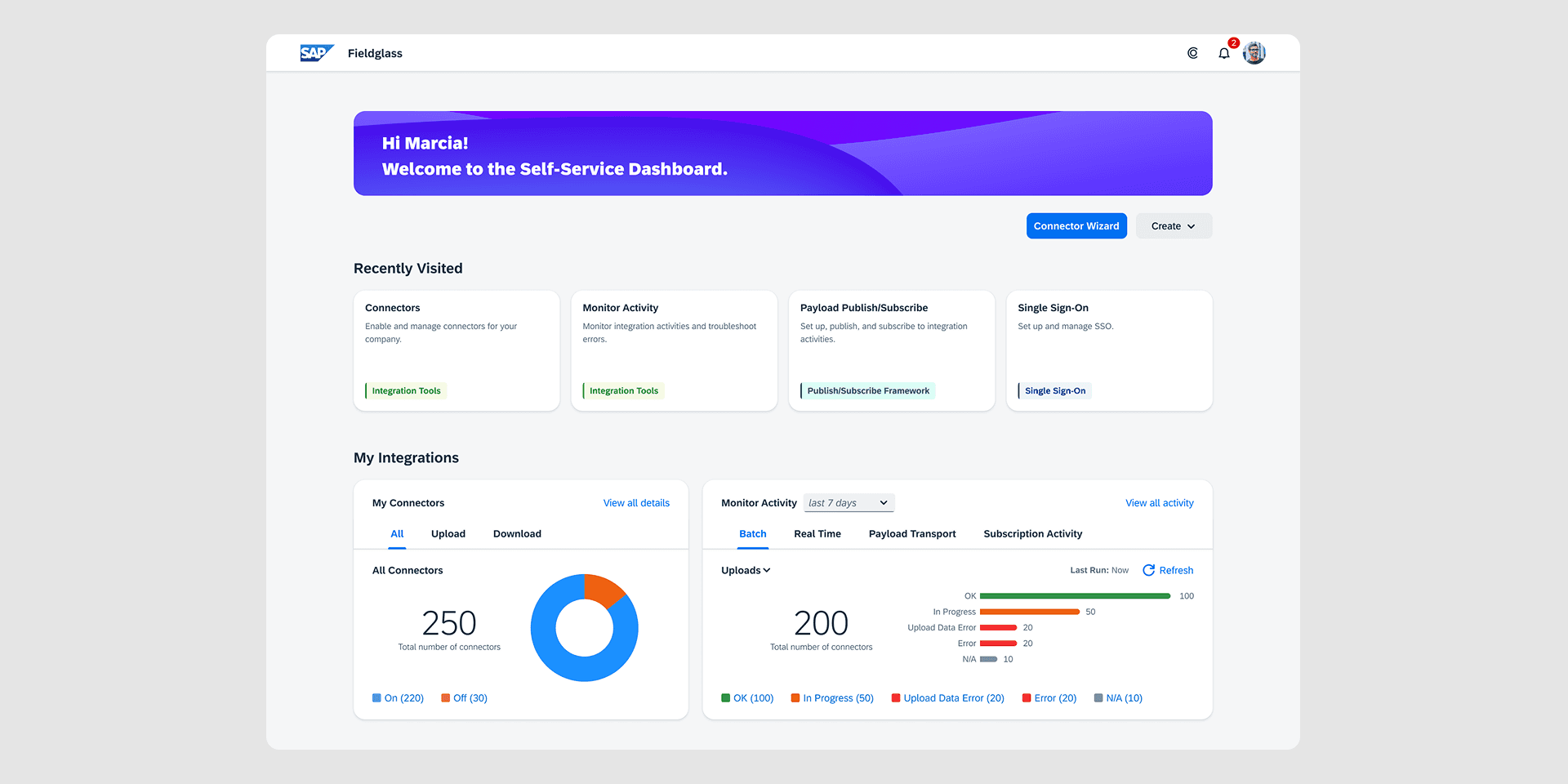
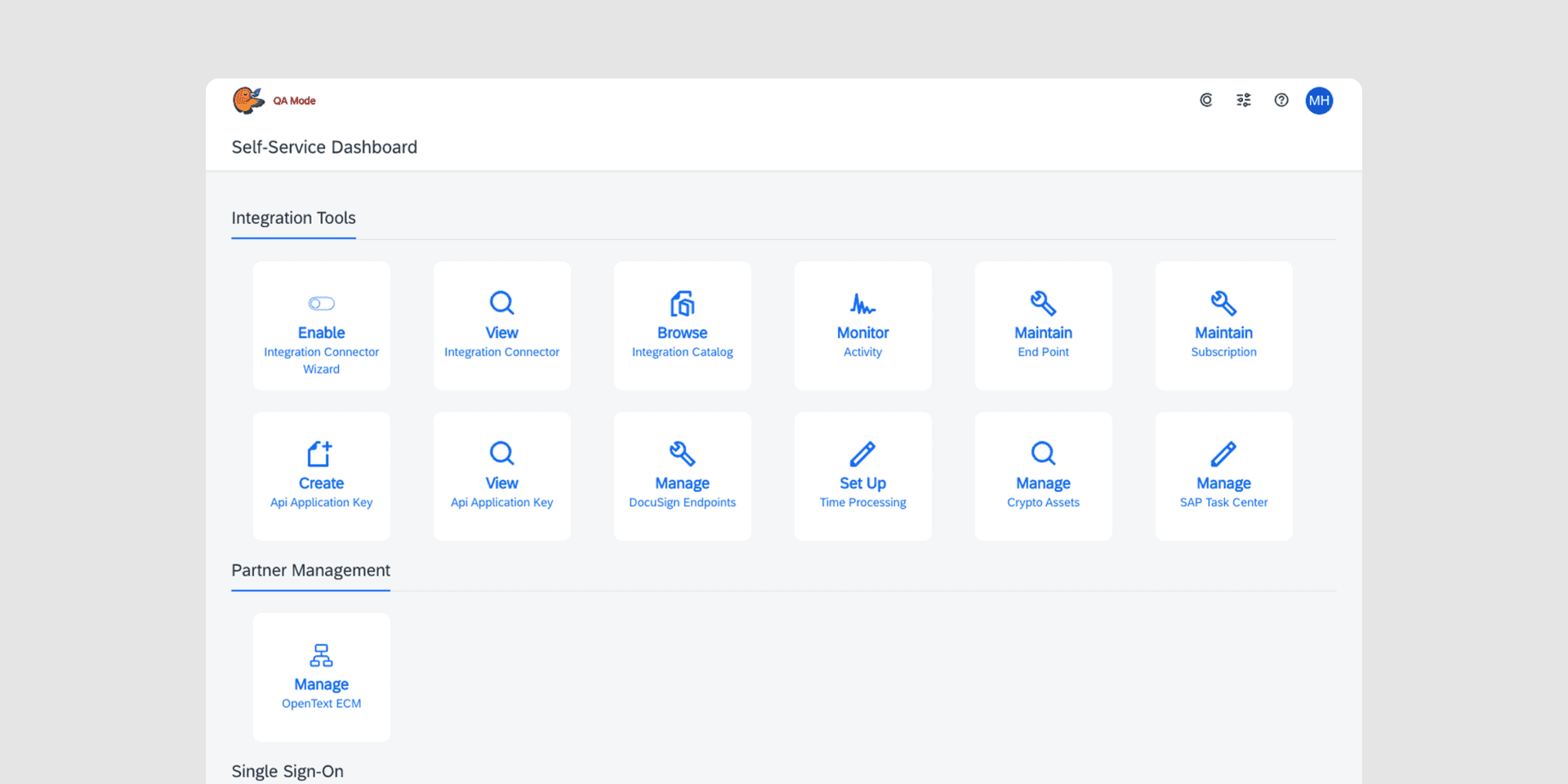
SAP Fieldglass is a software tool that helps companies procure temporary workers. The configuration manager dashboard is a tool that gives people at these companies the power to manage their integrations between SAP Fieldglass and other systems. We received feedback from our customers that this dashboard was confusing. This lead to low engagement levels and had a negative influence on our customers likelihood to renew their license.
Redesign the Dashboard to improve usage and Customer Satisfaction
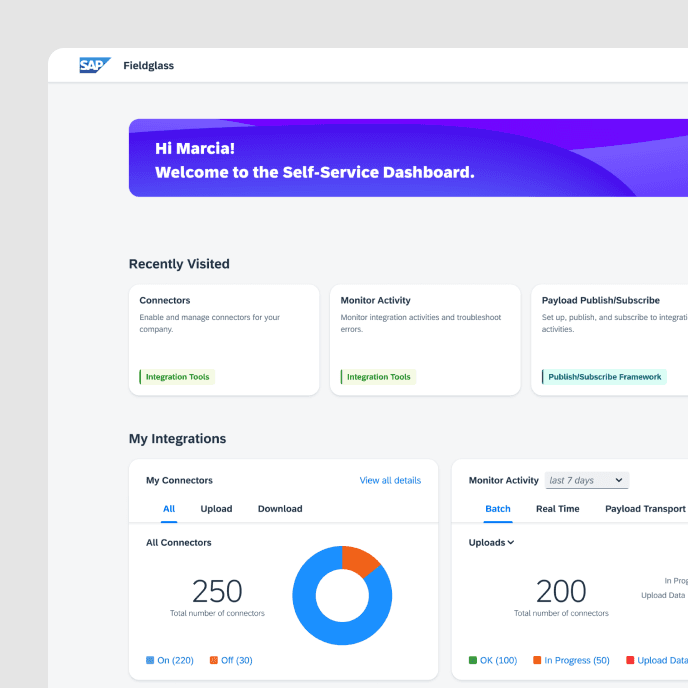
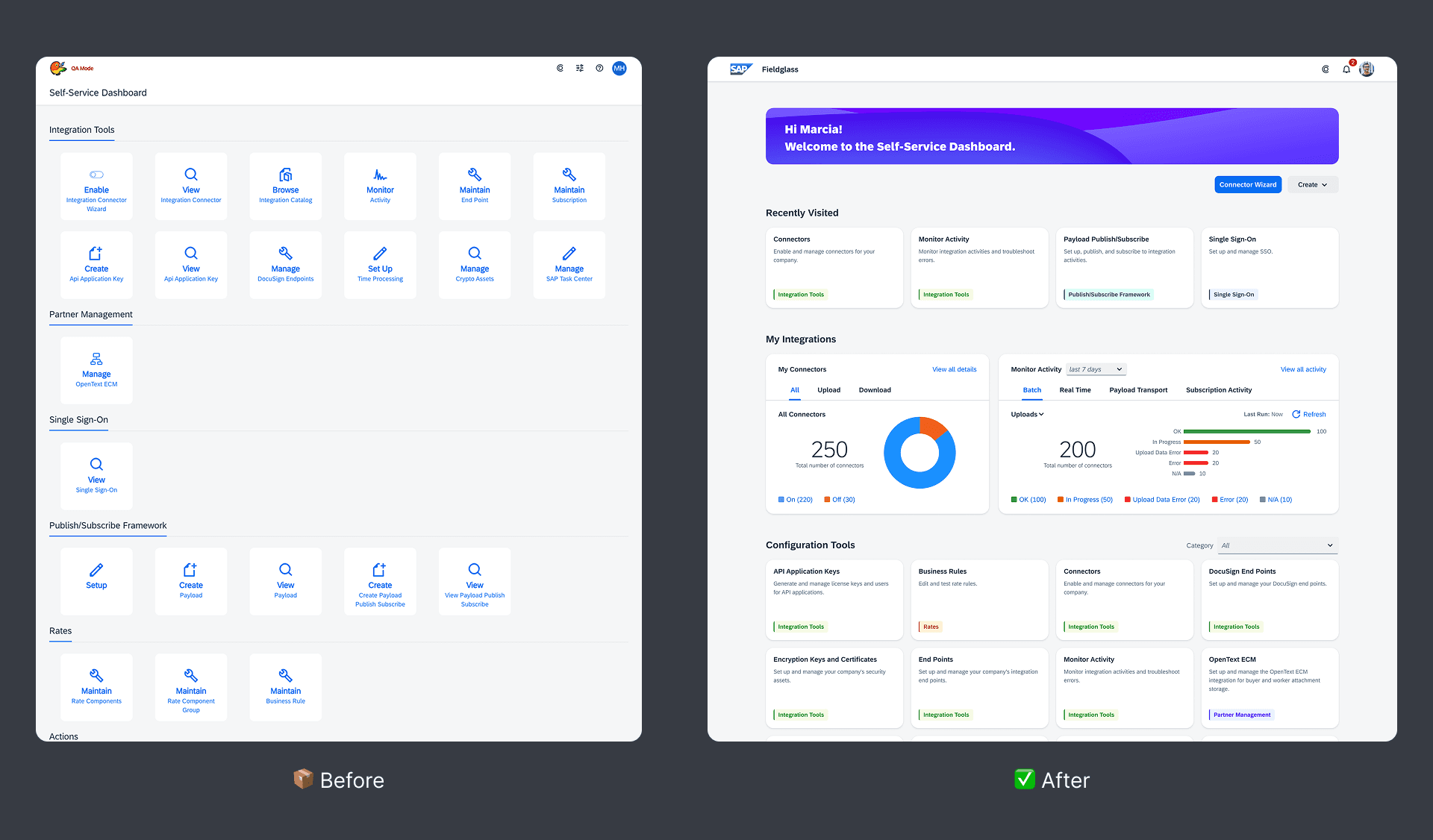
To address this confusion my colleague and I set out to design a new dashboard that would increase engagement. We conducted research to gain an understanding of customer issues and shipped a new dashboard that improved Monthly Active Users by 201%. We made key improvements to the dashboard’s personalization, insight, and structure.
Design Decision
Identifying and Prioritizing Heavily Used Features
Through research, we identified that customers typically only used a handful of features on the dashboard. To validate this, we conducted data mining and learned that of the 20 features, 80% of them were used less than 5%. To bring the heavily used features forward, I proposed included a “Recently Used” section at the top of the page. This would pin the most frequently used tiles to the top of the page for quicker access and separate them from the other unused features.
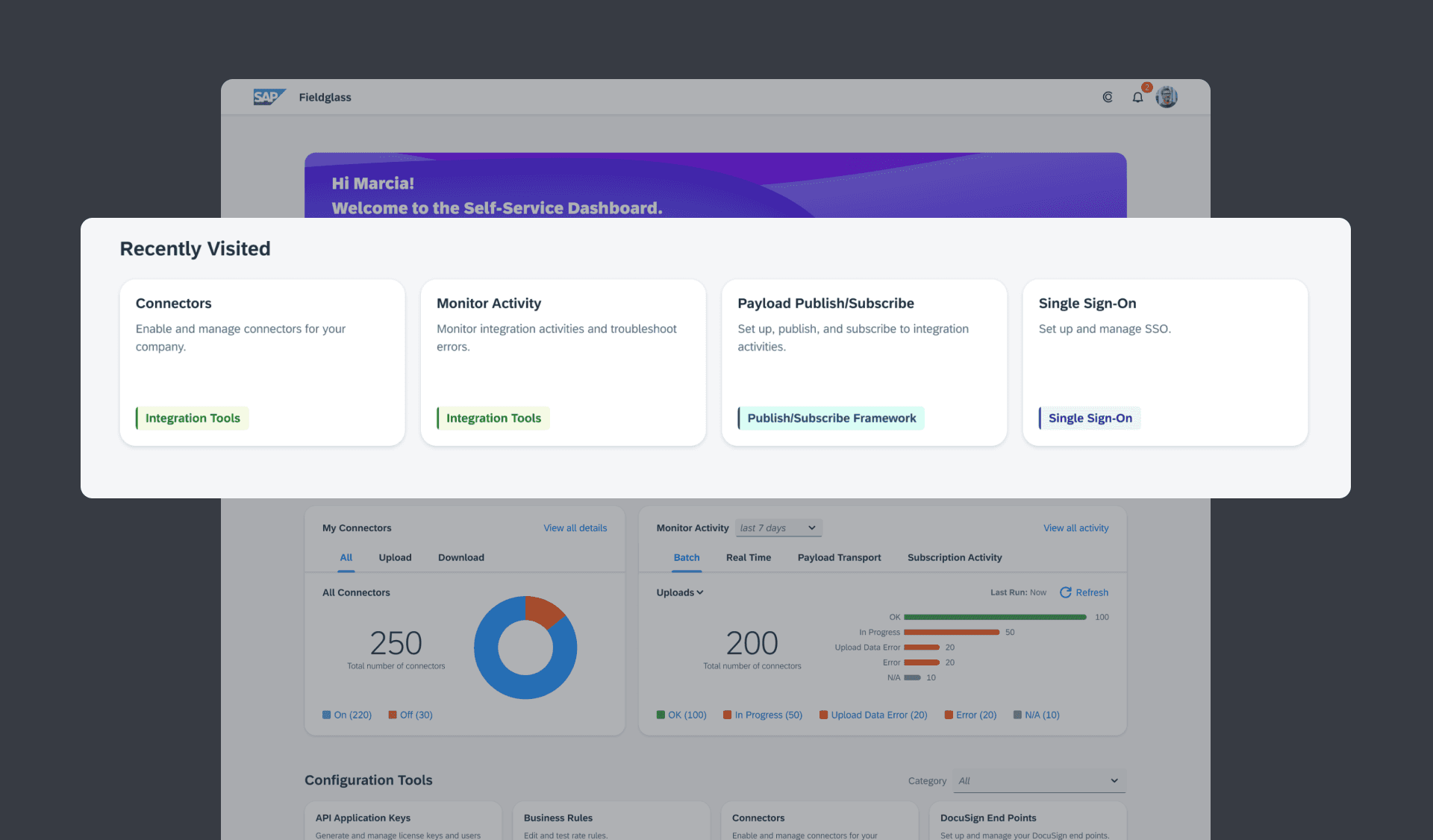
Design Decision
Adding Analytics to Improve Insight
We also learned that one of the main purposes of using the dashboard was to monitor errors with integrations that were established. However, there was no indication of this. Customers had to enter a new page and filter to see these errors. Because this was a top priority, we added data visualization widgets to the dashboard allowing users to view and action on this information at a glance.
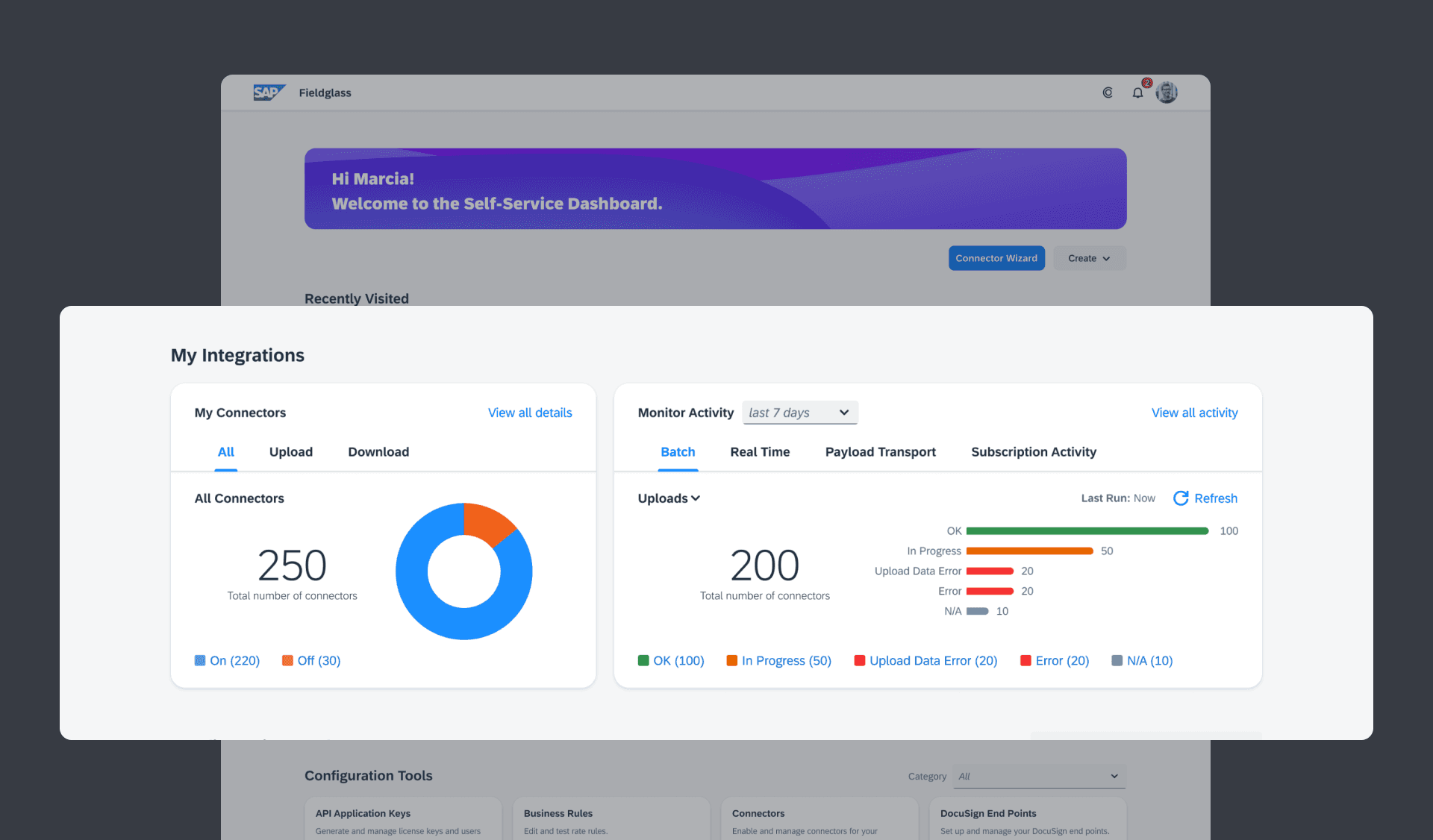
Design Decision
Consolidating Actions
After examining the different features on the page, there were multiple tiles that were a “Create” action. To eliminate the repetition and reduce the number of tiles, I proposed adding a create button that customers could use to create all of these items in one place. This streamlined the dashboard and reduced the amount of information being displayed leading to more clarity.
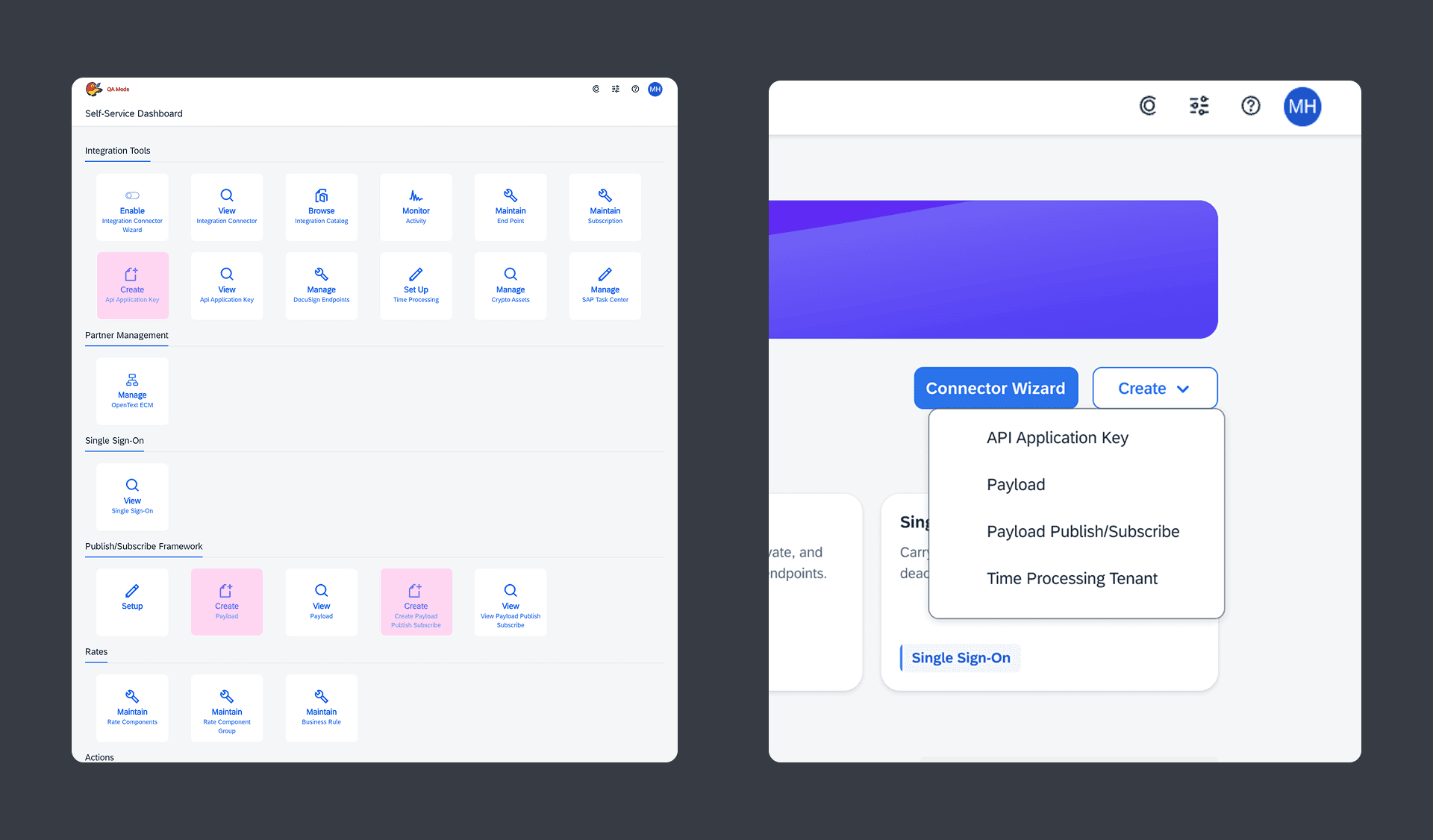
Design Decision
Enhanced Filtering for Dashboard Tiles
To allow customers to navigate more seamlessly we grouped the card into their respective categories. Doing this allowed us to filter the information down. This was important given the large number of cards. Users no longer had to sift through each card and could select the category they needed if they weren’t able to find something.
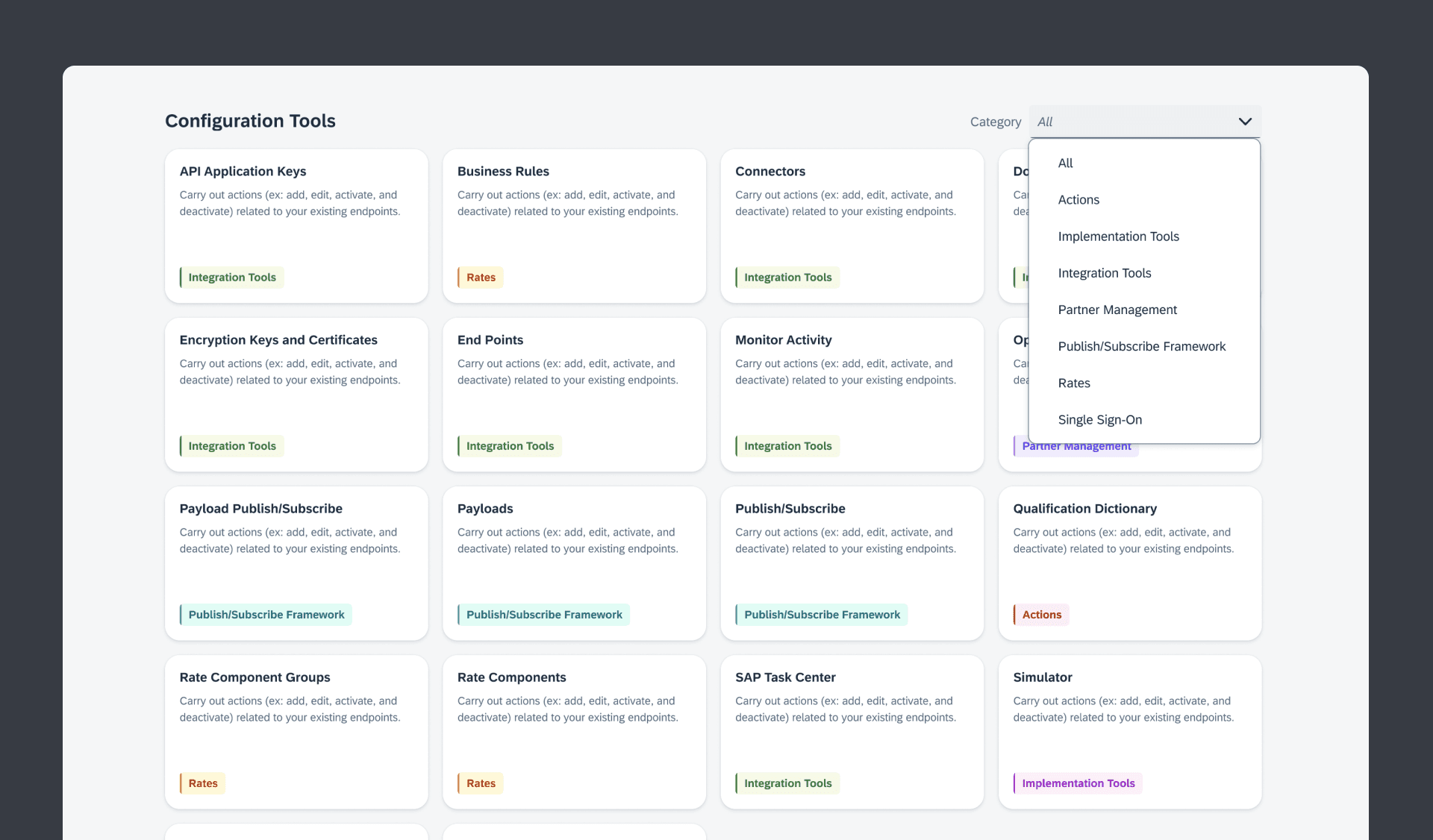
Research & Testing
User Interviews and Usability Sessions
Conducting interviews with colleagues from the help desk helped us better understand the top pain points that customers face when using the configuration manager dashboard. This information allowed us to make informed decisions throughout the design process.
To validate the design direction, we conducted usability sessions across four companies with 16 participants using Figma prototypes.
“I think I would actually use it more if I had it like this.”
U1
Usability Participant 1
“Being able to monitor activity and see errors from the dashboard is very helpful.”
U2
Usability Participant 1
“This is so much cleaner and easy to view.”
U3
Usability Participant 1
Impact and Lessons Learned
Improved Customer Engagement
Through research and thoughtful design decisions we saw a noticeable jump in dashboard engagement and achieved the goals we established at the beginning of the project.
Results:
🚀
150% Increase in MAU’s
~200 to ~500 on average
Lessons Learned
≠
Not all actions are equal
Certain actions are heavily used and should be prioritized
🔍
Insight is Key
Allowing users to view important information at a glance is key for dashboards

Let’s work together
Let’s build something together. Feel free to drop me a message
Write an Email
@lukesoenen2025 all rights reserved